Tentang AIDE
AIDE is an integrated development environment (IDE) for developing real Android apps directly on your Android device. Follow interactive coding lessons and step-by-step become an expert app developer. Visually design apps, write code with the feature rich editor with code completion, real-time error checking, refactoring and smart code navigation, run your app with a single click and use the Java debugger to find bugs.
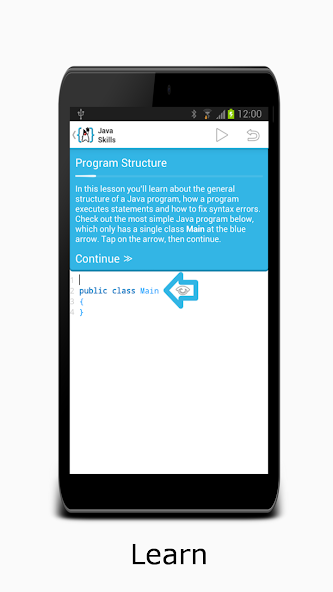
AIDE features interactive lessons with step-by-step instructions to learn Android app development and Java programming skills. Follow the lessons, become an expert and apply what you've learned in your own app projects.
AIDE will turn your Android tablet with keyboard into a real development box. AIDE will turn your Android Phone into a small development computer to browse and touch your code on the go.
AIDE supports building apps with Java/Xml and the Android SDK, apps with C/C++ and the Android NDK as well as pure Java console applications. AIDE is fully compatible with Eclipse projects. You can just copy the sourcecode to your device and open the Eclipse project in AIDE to start coding. Alternatively you can keep your sourcecode on your Dropbox - AIDE integrates with Dropbox and allows to easily download from your Dropbox and sync back your changes. AIDE can also open Android Studio projects, which follow the default folder structure. AIDE also supports Git for professional development.
Purchasing AIDE Prime, the AIDE Premium Key, the debugger or the UI designer disables all ads in the app.
A brief summary of features...
Learn-to-code (in-app purchase):
- Interactive lessons with step-by-step instructions
- Java programming course
- Android development course
- Game development course
- Android Wear course
Edit-compile-run cycle:
- Create a sample App with a single click
- Build Java/Xml apps
- Build C/C++ NDK apps
- Build pure Java console applications
- Run your App with a single click
- No root access required
- Incremental compilation for fast build times
- Uses Eclipse .classpath project format for compatibility
- Open default Android Studio projects
- Integrated LogCat viewer
Debugger (in-app purchase):
- Debug Android Java apps and Java Console apps
- Breakpoints
- Step-in, step-over, step-out
- Inspect thread trace
- Inspect local variables
- Inspect object fields
Real-time error checking:
- Real time error analyis throughout the whole project as you type
- Automatic Quick-Fixes for many errors
UI design:
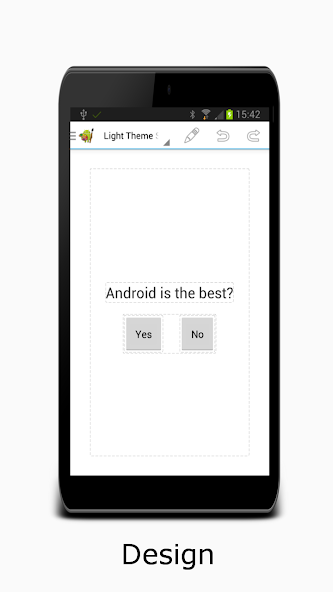
- Preview XML layouts
- Jump from view in the designer to the XML element
Refactoring:
- Rename
- Inline variable
- Introduce variable
- Extract method
Code:
- Code formatter
- Organize imports
- Out-comment code
- Create setters/getters/constructors from fields
Code navigation:
- Goto defintion
- Find usages
- Goto symbol
- Goto class
Editor:
- Very fast editor even with large files
- Code completion for Java and Android XML
- Android online help directly from the code
- Syntax highlighting for Java and XML
- Unlimited Undo/Redo
- Pinch zoom
- Smart expand selection
- Keyboard support with configurable keybindings
- UI optimized for small screens to show as much code/content as possible
Filebrowser:
- Built-in file manager with the most common features: Rename, delete, create file or folder
- Dropbox integration
- Git integration with Commit/Dicard/Push/Pull/Branch/Merge and SSH support.
To summarize: AIDE offers Java programming for the beginning, intermediate or advanced programmer. Beginners can learn to code, developers can do real development. Using the advanced editor with code completion and syntax highlighting to edit Java and XML files, then compile the software, the use the Compiler to turn it into an app. AIDEs incremental Compiler is blazingly fast. Interoperiability with Android Studio and commandline SDK Tools is provided. Not only does AIDE Support Java development but C and C++ native development is supported as well.
AIDE Mod Perguntas frequentes
E o AIDE Mod ?
AIDE é um App Aplicativos Desenvolvido por Appfour. Este mod é enviado por usuários do aplicativo HappyMod. O recurso de mod sobre este mod é: ◉ Excluir a versão antiga antes de instalar os recursos premium (desbloqueados) ◉ ADS (desligado) ◉ Itens inúteis (removidos) ◉ A maioria dos analíticos (desativado) ◉ Todas as informações de depuração (removidas) ◉ processamento (ARM64-V8A, Armeabi-V7A, X86,
x86_64) ◉ Assinatura do pacote original (alterado) aide.
Como posso baixar o AIDE Mod?
Você precisa clicar no botão de download para a página de download, então você fará o download AIDE directly. Se você baixou o aplicativo HappyMod, está tudo bem. Você precisa instalar o HappyMod App e clicar no botão de download na página de download. O aplicativo que você deseja baixar será exibido no HappyMod App.
E a velocidade de download?
A velocidade de download no HappyModpro é muito rápida. A velocidade de download no aplicativo HappyMod é mais rápida. Você pode baixar o aplicativo HappyMod primeiro na página inicial.
É AIDE Mod safe?
AIDE Mod é 100% seguro. Este mod foi carregado por usuários. Foi testado e revisado pelo editor. Em seguida, usaremos todos os tipos de software antivírus para verificar o arquivo. Você não precisa se preocupar com a segurança de AIDE Mod.
Por que não é possível instalar o AIDE Mod?
Primeiro, você deve desinstalar a versão original AIDE App, a assinatura entrará em conflito com a versão do mod. Então você deve permitir que o recurso desconhecido possa ser instalado em seus dispositivos Android.
Mais aplicações do mesmo desenvolvedor